01
Structured cabling
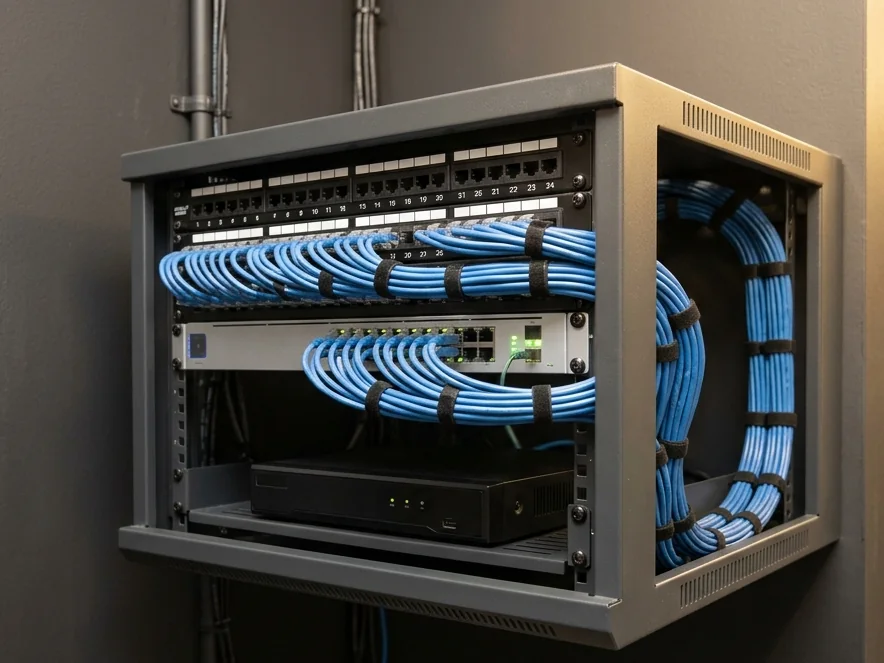
Cat6 points to every desk, cabin and printer, terminated on a labelled patch panel in a proper network rack.
 XPERT BIZZYour Trusted Technology Partner
Cabling, Wi-Fi, security, CCTV, biometrics and laptops planned by one team, installed before you move in.
Last updated: 22 October 2026
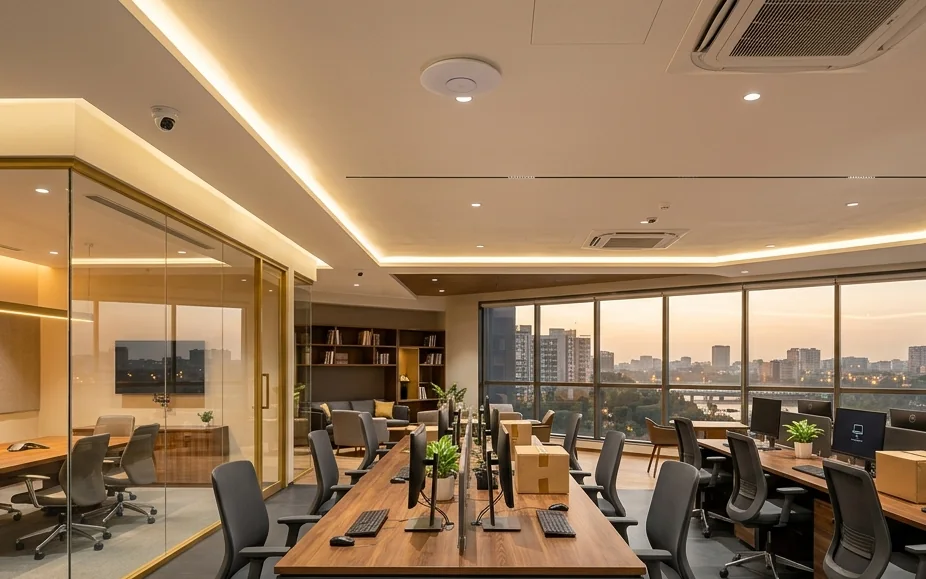
Office IT setup is the planning, supply, installation and testing of all the technology a new office needs to run: network cabling, Wi-Fi, firewall, CCTV, biometric access, computers, printers, business email and backup. XPERT BIZZ does this for offices in Ahmedabad as a single project, from the empty floor to a working office.
Cat6 points to every desk, cabin and printer, terminated on a labelled patch panel in a proper network rack.
Business switches, router and ceiling access points placed for full coverage, with separate guest Wi-Fi.
Firewall rules, antivirus and device protection so client data and accounts stay safe from day one.
Cameras at entries, cash points and work areas, with recording and remote viewing on your phone.
Fingerprint or face attendance at the entry, with reports ready for payroll.
Systems sized for each role, set up with software, user accounts and network printing.
Business email on your domain, Microsoft 365 or Google Workspace, shared drives and user access.
Automatic backup for important data and an Annual Maintenance Contract once you move in.
Use this list with your interior designer before the ceiling closes. Each item is cheaper to plan now than to fix later.
| Item | What to decide | When to plan it |
|---|---|---|
| Data points | Number of desks, cabins, meeting rooms, printers and TVs that need a wired connection, plus spare points for growth | Layout stage |
| Network rack location | A ventilated, lockable spot with power backup, away from washrooms and pantry water lines | Layout stage |
| Wi-Fi access points | Ceiling positions for full coverage, including the conference room and the corner cabin | Before false ceiling |
| Internet lines | A primary business connection and a backup line from a second provider for failover | Two to three weeks before move-in |
| CCTV coverage | Entries, reception, cash and store areas, corridors, and how many days of recording to keep | Before false ceiling |
| Attendance | Biometric or face attendance at the staff entry, with power and network at that point | Before wall finishes |
| Power backup | UPS for the rack, CCTV recorder and critical desks | With electrical drawings |
| Devices and accounts | Laptops or desktops per role, printer, email accounts and software licences | Two weeks before move-in |
| Security and backup | Firewall, antivirus, user permissions and automatic backup of shared data | Before go-live |
| Support after move-in | AMC scope, response expectations and who your team calls | At handover |
Six stages that keep your IT on the same timeline as your interiors.
We learn your headcount, departments, software, printers and growth plans for the next two to three years.
We walk the premises and mark data points, Wi-Fi access points, cameras, biometric readers and the network rack on your layout.
You receive a clear bill of materials and scope, with options where they make sense, so you only buy what the office needs.
Cables and conduits go in before the false ceiling and partitions close, coordinated with your interior and electrical teams.
Network, Wi-Fi, firewall, CCTV, biometrics, systems, printers and email are configured and tested desk by desk.
You get a documented handover with passwords, port labels and device lists, then ongoing support under an AMC.
Illustrative image
Most office IT problems start inside the network rack: unlabelled cables, a consumer router doing a business job, no backup power. We build the rack properly from the start.
Every office is different, so we quote after a site survey. These are the factors that move the number most.
From five-person startups to multi-floor offices, the approach is the same: plan properly, install cleanly, support after move-in.
Departments, meeting rooms and cabins with reliable wired and wireless connectivity.
Secure networks, backup and user permissions for confidential client data.
Stable connectivity for patient software, billing and CCTV at reception.
Fast, separated Wi-Fi for members and staff, with room to scale.
Answers to what businesses in Ahmedabad ask before setting up a new office.
Share your layout, headcount and move-in date. We will suggest a practical IT plan and timeline.
Keyur Mehta
1002/B, 10th Floor, SYNERGY,
Above Kotak Mahindra Bank,
Next to Commerce House-5,
Near Vodafone House (Vi),
Corporate Road, Prahlad Nagar,
Ahmedabad - 380015.
24ANHPM8424E1Z3
We reply on the same working day with clear next steps.