1. Home
  2. Services
  3. Networking & Cabling
Networking & Cabling • Ahmedabad

Office networking built on clean cabling.

Cat6 and fibre cabling, racks, switches and business Wi-Fi, labelled, tested and documented.

Labelledevery point, both ends
Testedbefore handover
Concealedplanned with interiors

Last updated: 22 October 2026

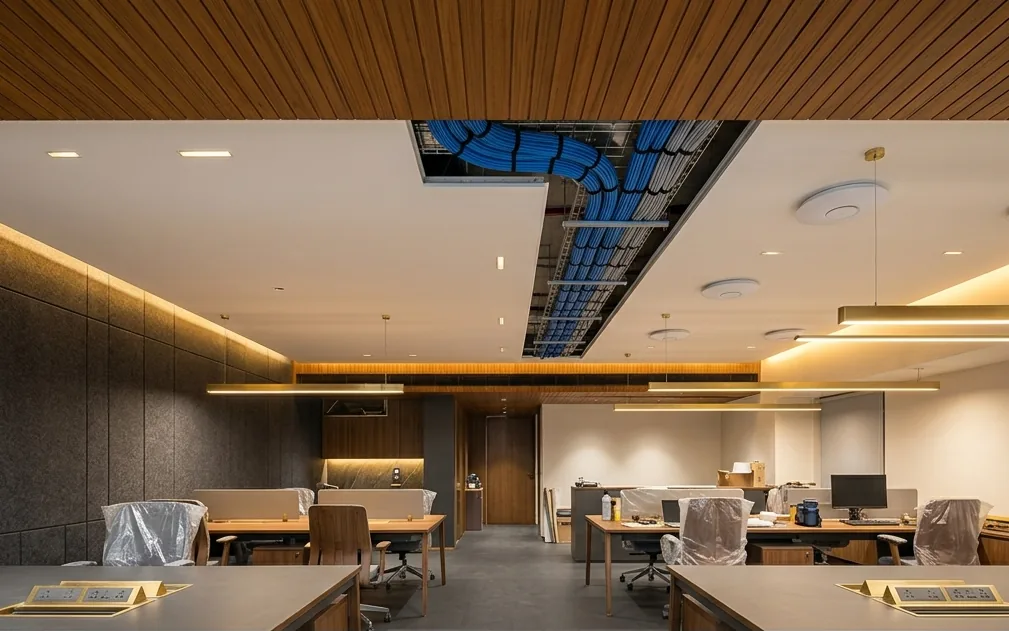
Illustration of an office ceiling opened to show bundled network cables on a cable tray, with ceiling Wi-Fi access points
What We Install

A network that is easy to run, expand and troubleshoot.

Structured cabling and networking is the planned installation of network cables, racks, patch panels, switches, routers and Wi-Fi that connect every computer, printer, camera and device in a building. XPERT BIZZ designs and installs office networks in Ahmedabad, with every point labelled, tested and documented.

01

Cat6 cabling

Network points to desks, cabins, meeting rooms, printers and TVs.

02

Fibre backbone

High-capacity links between floors, buildings and distant racks.

03

Network rack

Patch panels, cable managers, power and cooling in a lockable rack.

04

Switches & routers

Business-grade equipment sized for your users and devices.

05

Business Wi-Fi

Wired ceiling access points with planned coverage and guest Wi-Fi.

06

Network separation

Separate networks for staff, guests, CCTV and printers.

07

Rewiring & cleanup

Untangling old racks and replacing unreliable cabling.

08

Network AMC

Monitoring, changes and support once the network is live.

Cat6, Cat6A or fibre: which cable where?

Most offices use a mix. This is how each type is typically used.

CableTypical useBest for
Cat6Rack to desks, printers, cameras and access pointsMost office points, gigabit to every desk
Cat6ALonger or higher-speed copper runsServer links and future-ready installations
Fibre opticBetween floors, buildings and racks far apartBackbone links and long distances
Wi-Fi (on wired access points)Laptops, phones and mobile devicesMeeting rooms, open areas and guests

How we build your network

Six steps from survey to a documented, tested network.

1

Survey and requirement

We count users, devices, printers, cameras and access points, and walk the site to plan cable routes and the rack location.

2

Network design

You get a points layout, rack plan and equipment list sized for today with room to grow.

3

Cabling

Cat6 or fibre is laid in conduit, trays or false ceilings, coordinated with interiors so nothing is visible.

4

Termination and labelling

Every cable is terminated on patch panels and wall points, and labelled at both ends.

5

Testing

Each point is tested for continuity and performance, and faults are fixed before handover.

6

Configure and hand over

Switches, router, Wi-Fi and network separation are configured, with a documented handover.
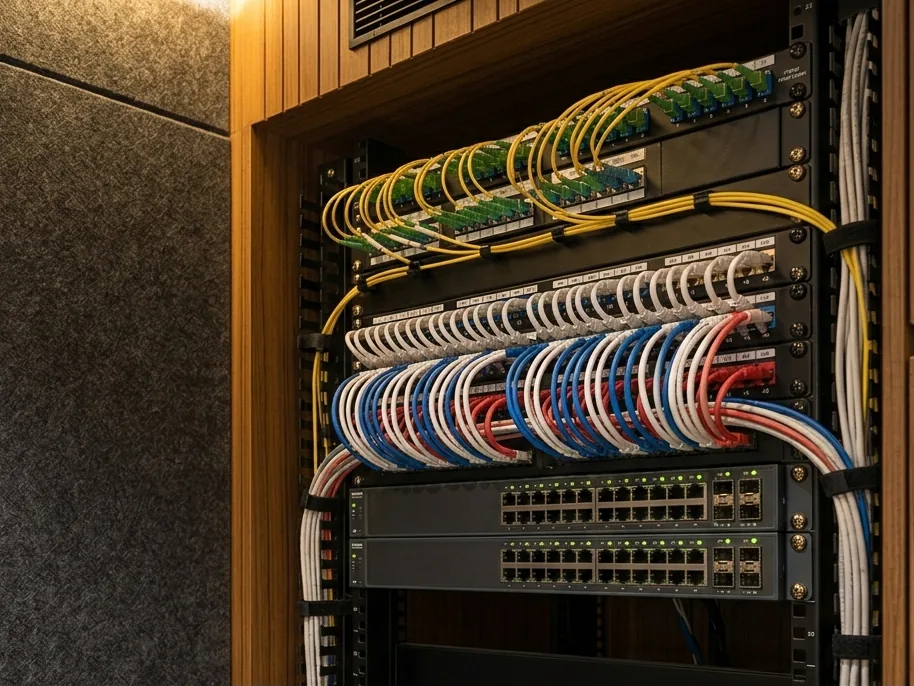
Illustration of a network rack with fibre patch panel, labelled Cat6 patch panels and network switches

Illustrative image

Signs your office network needs rework.

Many network problems are cabling problems. If these sound familiar, the fix usually starts at the rack.

Common warning signs

  • Nobody knows which cable goes to which desk
  • Desks lose connection when someone moves a chair
  • Consumer routers and small switches added over the years
  • Wi-Fi drops in meeting rooms or far cabins
  • CCTV, guests and staff all on one network

What to plan before cabling starts

Decisions that are easy during fit-out and expensive afterwards.

Points

  • Desks, cabins and meeting rooms
  • Printers, TVs and phones
  • Spare points for growth

Rack

  • Ventilated, lockable location
  • Power backup for network equipment
  • Distance to the farthest point

Wi-Fi and devices

  • Access point positions on the ceiling plan
  • CCTV and biometric attendance points
  • Internet lines from two providers

What you receive

  • Points layout and port labels
  • Test results for every point
  • Equipment list and configuration notes

Networking and cabling questions

Answers to what offices in Ahmedabad ask before a network installation.

Structured cabling is an organised system of network cables, patch panels, racks and wall or floor points that connects every desk, device, camera and access point in a building to a central network rack. Each cable is terminated, labelled and tested, so changes and troubleshooting are quick.
Cat6 is suitable for most offices and supports gigabit speeds to every desk. Cat6A suits longer runs and higher-speed requirements, such as servers and future-ready backbones. We recommend based on your distances, devices and plans.
Fibre is used between floors, buildings or racks that are far apart, and for high-capacity backbone links. Copper cable is used from the rack to individual desks and devices.
Yes. We plan the work in phases or after office hours, run new cables alongside the old ones, switch over desk by desk and remove the old cabling once everything is tested.
Yes. We install ceiling access points with wired connections, plan coverage for every room and set up separate networks for staff, guests, CCTV and printers.
We use conduits, cable trays, false ceilings, floor boxes and furniture routes, and coordinate with your interior designer so cabling is concealed.
Yes. You receive a handover with the points layout, port labels, test results, equipment list and configuration details.
Yes. Network support is available under an AMC, covering monitoring, changes, troubleshooting and on-site visits.

Planning a network?

Share your layout and number of users. We will suggest a cabling and network plan.

Founder

Keyur Mehta

Phone / WhatsApp

+91 98980 30555

Office Address

1002/B, 10th Floor, SYNERGY,
Above Kotak Mahindra Bank,
Next to Commerce House-5,
Near Vodafone House (Vi),
Corporate Road, Prahlad Nagar,
Ahmedabad - 380015.

GSTIN

24ANHPM8424E1Z3

Tell us about your requirement.

We reply on the same working day with clear next steps.

Quick response on WhatsApp. Detailed response via email.